
Getting paidGet paid by card
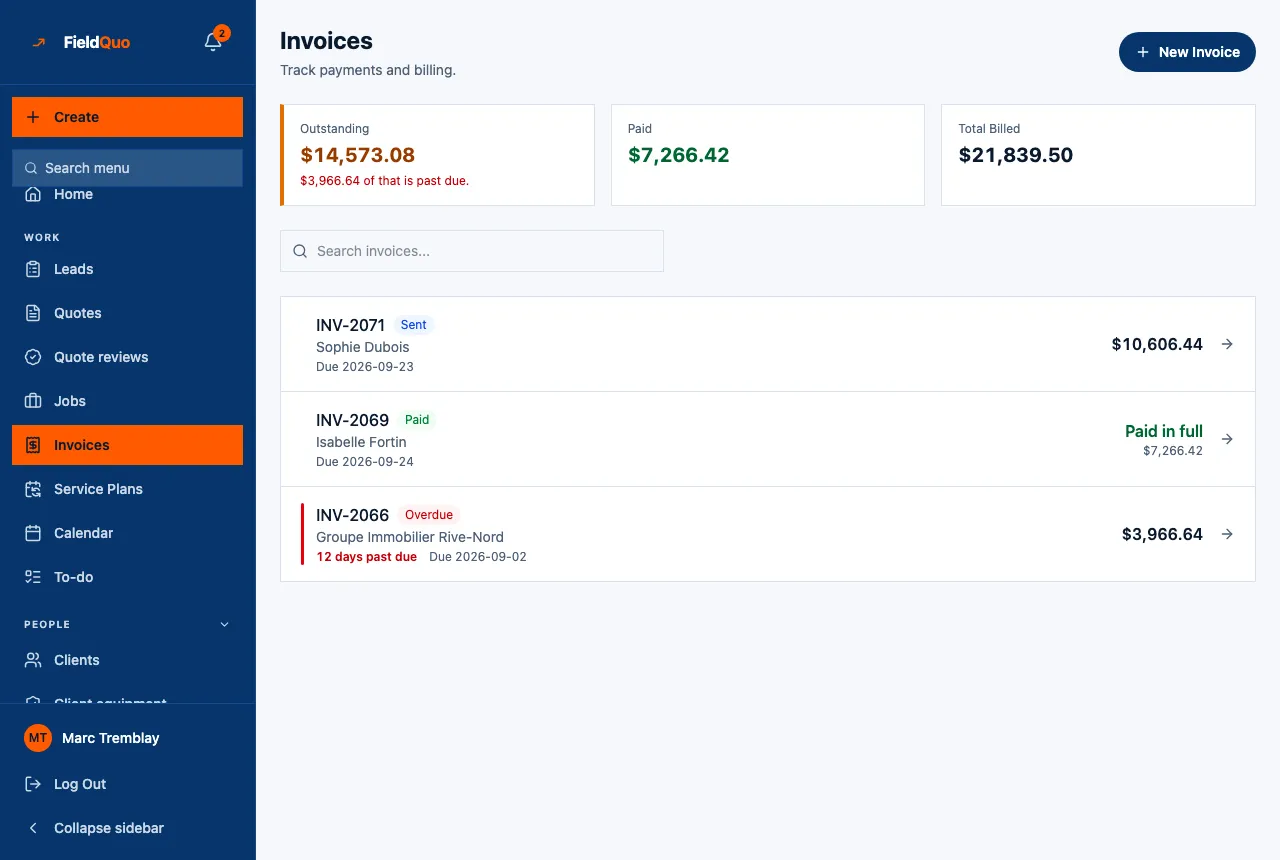
They pay from the driveway, and it lands in your account
Card or bank debit from the invoice, a deposit or the client portal, settling into your own bank — with one fee taken off each payment and nothing billed separately.
Your first 14 days are free, and nothing is charged until they are up.
What this takes off your week
How it works here
The money goes to your account
You connect your own bank once. Client payments settle into your account directly; the processing fee comes off each payment before it lands, and nothing is billed to you separately.
Deposits are handled properly
A client who has already paid a deposit is asked for the balance, not for the whole amount a second time — and a deposit can be paid by bank debit too.
One link for everything they owe
The portal is a single link per client — no account for them to create, no password for them to forget.
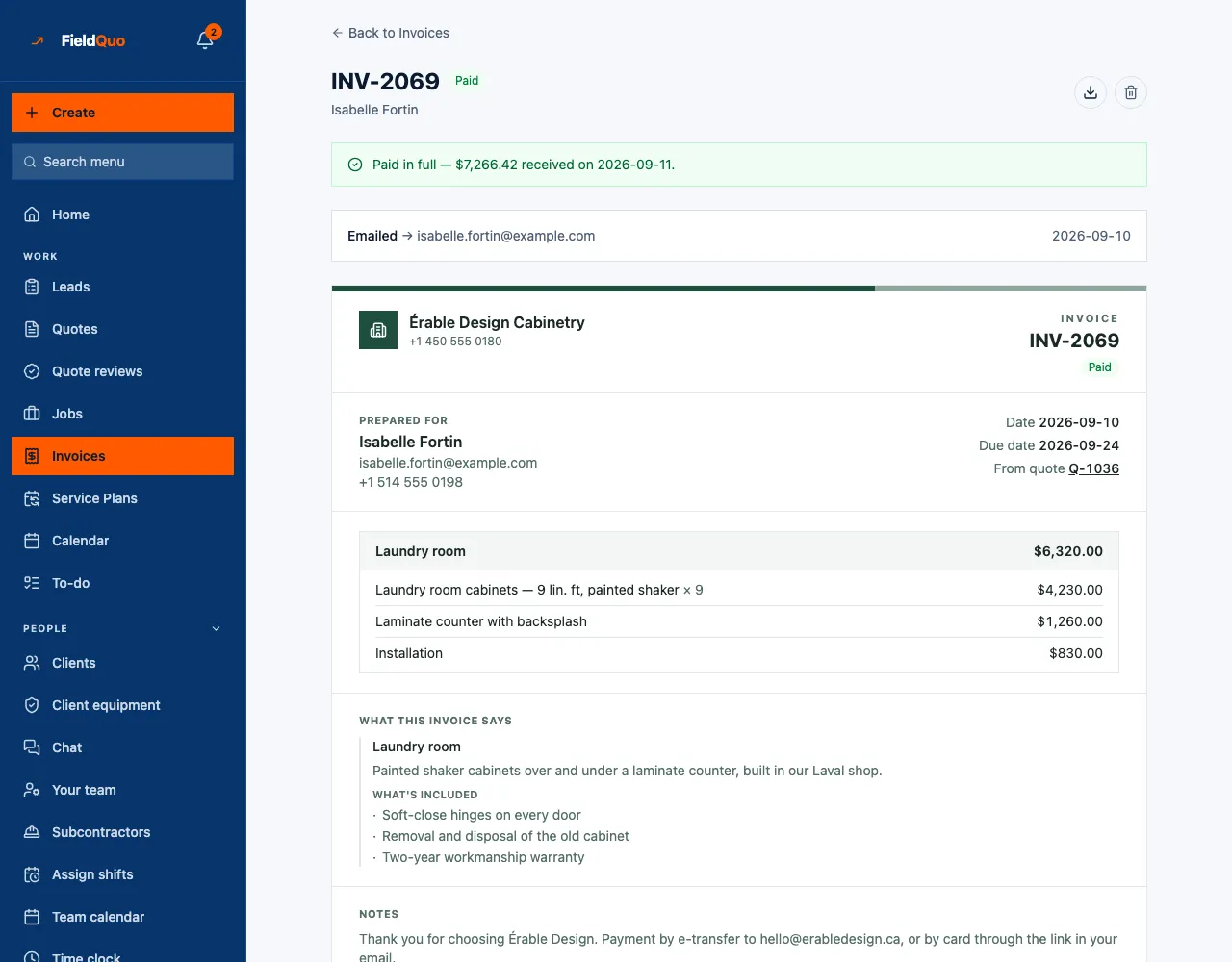
One click from the approved quote, paid from the link
The invoice is built from the quote, so it says what the quote said. It goes out in an email from your address with a pay-now button inside; the client pays from their phone and the payment history lands on the invoice, with the fee shown next to what reached your bank.
- Emailed from your address, with a link to the invoice and a pay button
- Cash or e-transfer you already took comes off before the card is charged
- The payment, the fee and the deposit into your bank, recorded on the invoice
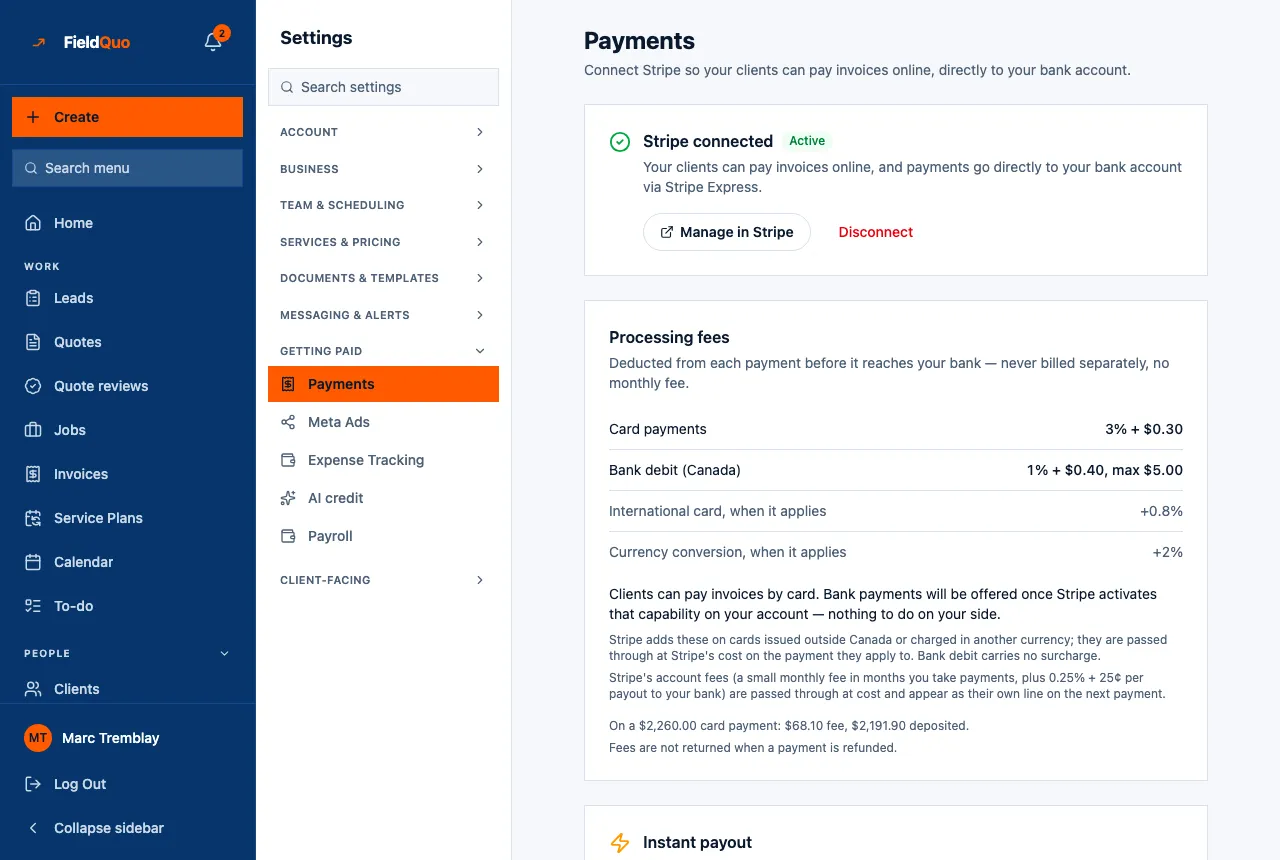
One fee, deducted before the money lands — never a bill
A card payment costs 3% + $0.30. Bank debit is cheaper: 1% + $0.40 capped at $5.00 in Canada, 0.8% capped at $5.00 in the US — on a $5,000 invoice that is $5 instead of $150. The fee comes off each payment before it reaches your bank. There is no monthly fee and nothing is billed separately.
- Cards 3% + $0.30; Canadian bank debit 1% + $0.40 (max $5.00); US bank debit 0.8% (max $5.00)
- An international card adds 0.8% and a currency conversion 2%, only when they apply
- Instant payout to your bank is optional, at 1% — the standard payout needs nothing switched on
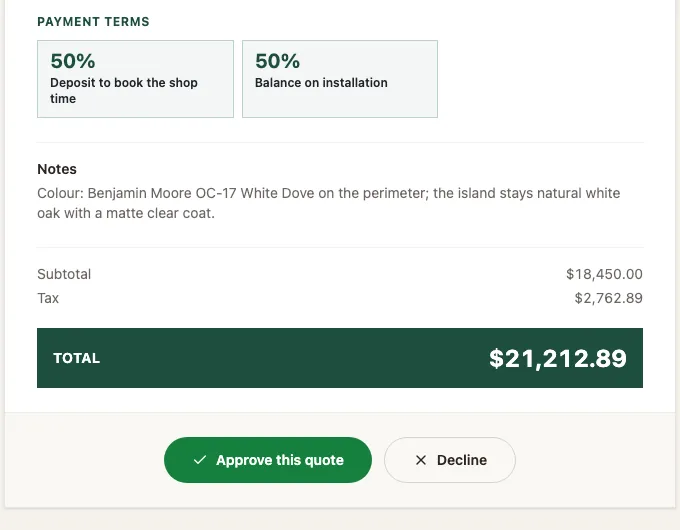
Deposits and stage payments, on the quote the client signs
Ask for a deposit to book the shop time and the balance on installation, or split a long job into stages. The terms sit on the quote the client approves, each stage is requested on your schedule, and the client can pay any of them by bank debit from their portal, not only the final invoice.
- Payment terms printed on the quote, next to the total the client signs for
- Each stage requested when it is due — paid by card from the link, or by bank debit from the portal
- A deposit already paid comes off the final invoice automatically
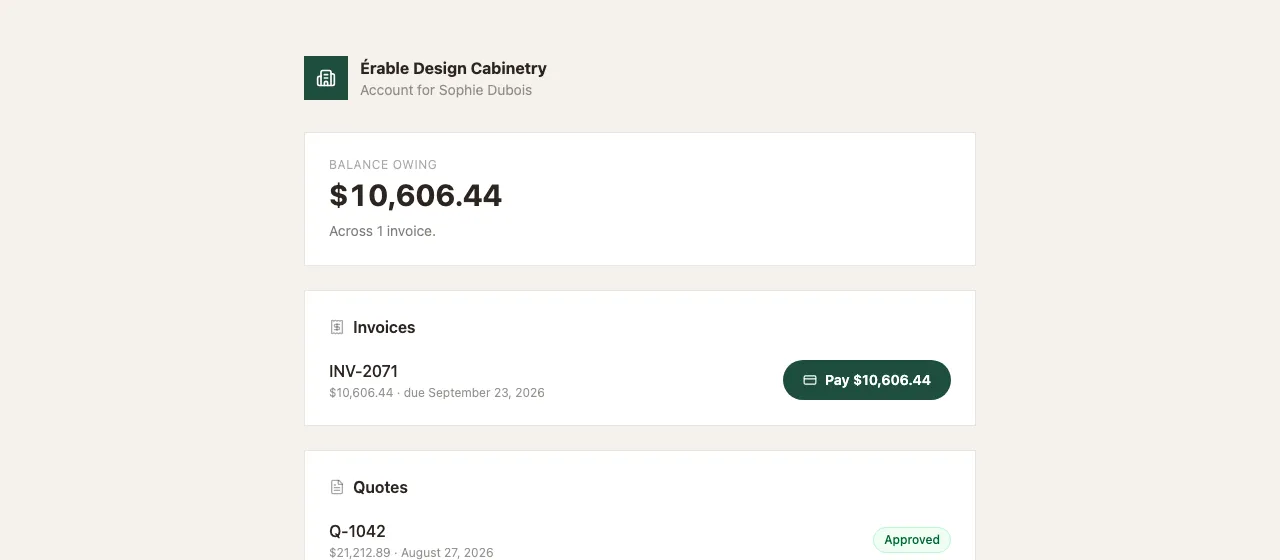
One link for everything they owe
The client portal is a single link per client — no account to create, no password to forget. It shows the balance owing, every invoice with its pay button, and every quote with its status, under your company's name and nobody else's.
- Balance owing at the top, then the invoices and the quotes
- Pay from the portal by card or bank debit
- Your name, your logo — the page never says FieldQuo
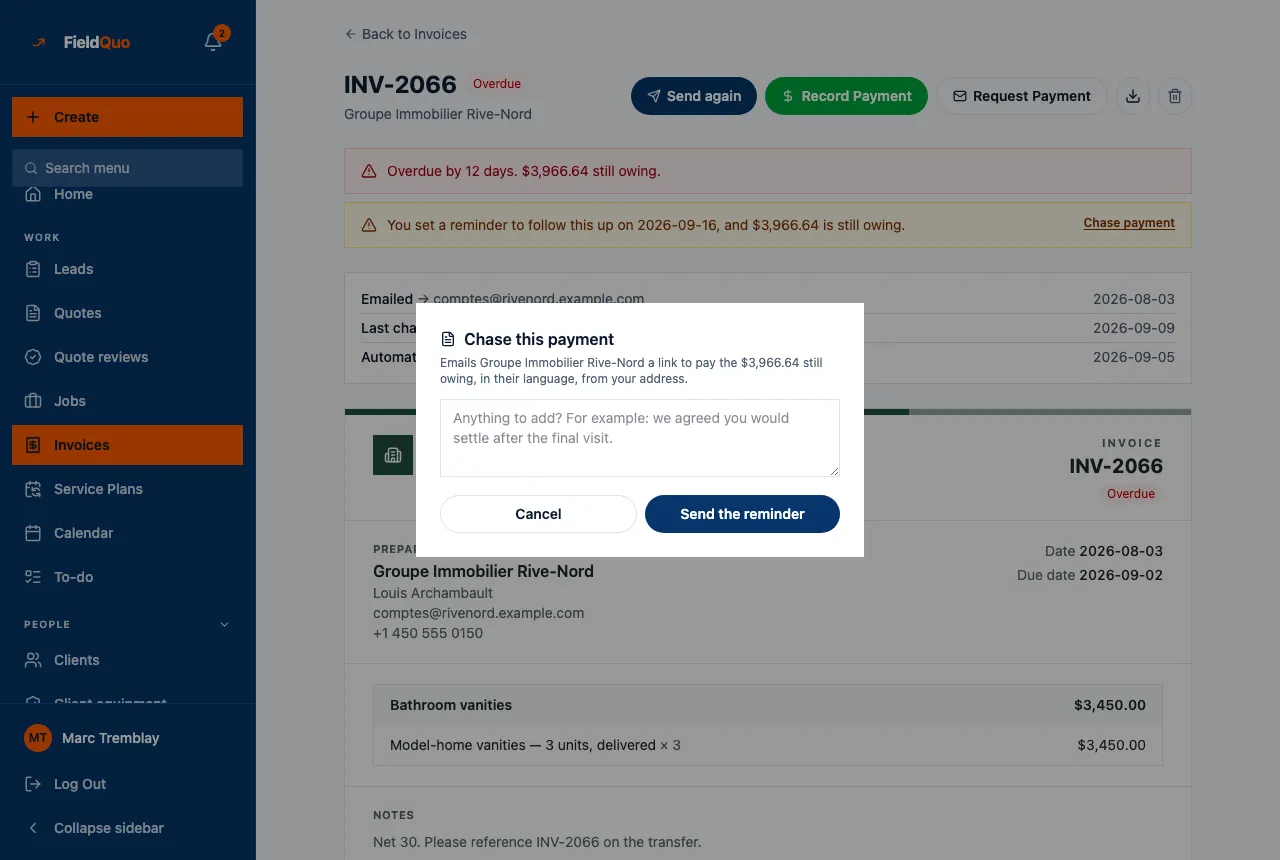
Reminders and refunds, from the invoice itself
An overdue invoice says how many days late it is and what is still owing. Chase it in one click with a note in the client's language, or let the follow-up rules you set do it on schedule. A refund, in full or in part, is issued from the same invoice and goes back to the card or account it came from.
- Chase from the invoice: a short note, sent in the client's language
- Automatic reminders on the schedule you set, in your words
- Refund the whole payment or part of it, from the invoice — the processing fee is not returned, as with any card processor
The specifics
The client pays from their phone and the money goes to your account, not ours.
- The money goes to your account
- The charge is routed to your own connected account. The processing fee is deducted from each payment before it reaches your bank — never billed separately, and there is no monthly fee.
- What the fee is
- Cards 3% + $0.30. Bank debit 1% + $0.40 capped at $5.00 in Canada and 0.8% capped at $5.00 in the US. An international card adds 0.8% and a currency conversion 2%, only when they apply. Instant payout is optional at 1%.
- Cash you already took comes off the card amount
- The client is charged the balance, not the total, so a deposit taken in cash or by transfer and written down by hand is not charged a second time.
- A paid invoice refuses rather than errors
- Asking for a payment link on a zero balance is refused in plain words, instead of being handed to the card processor to fail in front of somebody.
- A draft cannot be paid
- The client's link checks in the same read that the invoice is theirs and that it was actually issued, so a guessed number does not open a payment page.
- Currency follows your company
- The checkout opens in your own company’s currency, taken from the country you signed up with, rather than in a default somebody else chose.
What you get
Every plan includes all of it. Plans differ by how many people can work in the account, not by which features they are allowed to use.
Get paid by card
The client pays from their phone and the money goes to your account, not ours.
Your own payout account
Connect your bank once; every client payment settles into it directly.
Send an invoice
Emailed from your address with a link to the invoice and a pay-now button inside.
Client portal
One link where a client sees their quotes, invoices and what they still owe.
Maintenance plans
Sign a client up to a recurring plan and the card is charged on schedule without you asking.
Let clients pay monthly
Turn on pay-over-time at checkout for the big jobs homeowners put off.
Where this stops: Pay-over-time is offered at checkout through Stripe, where the lender decides. FieldQuo does not lend and does not approve anyone. The monthly figure shown on a quote appears only if you enter your own rate and term — we never invent one.
Every other way to get paid
E-transfer, cheque, cash — Zelle, Venmo, Cash App and check in the US — printed on the invoice with where to send it.
One item above is only partly built, and says so. We would rather you read the limit here than find it in month two.
More in this area
Each of these has a page of its own.
Try it on your own jobs
The first 14 days are free. Bring your own rates, your own logo and the client list you already have.
Contractors reading this also read