
Team & Payroll
Give your team access without giving up control
Preset access levels for crew, estimators, dispatchers and managers, a dial per area for anyone who needs something different, and a file per person: documents, onboarding, policies, hours and pay.
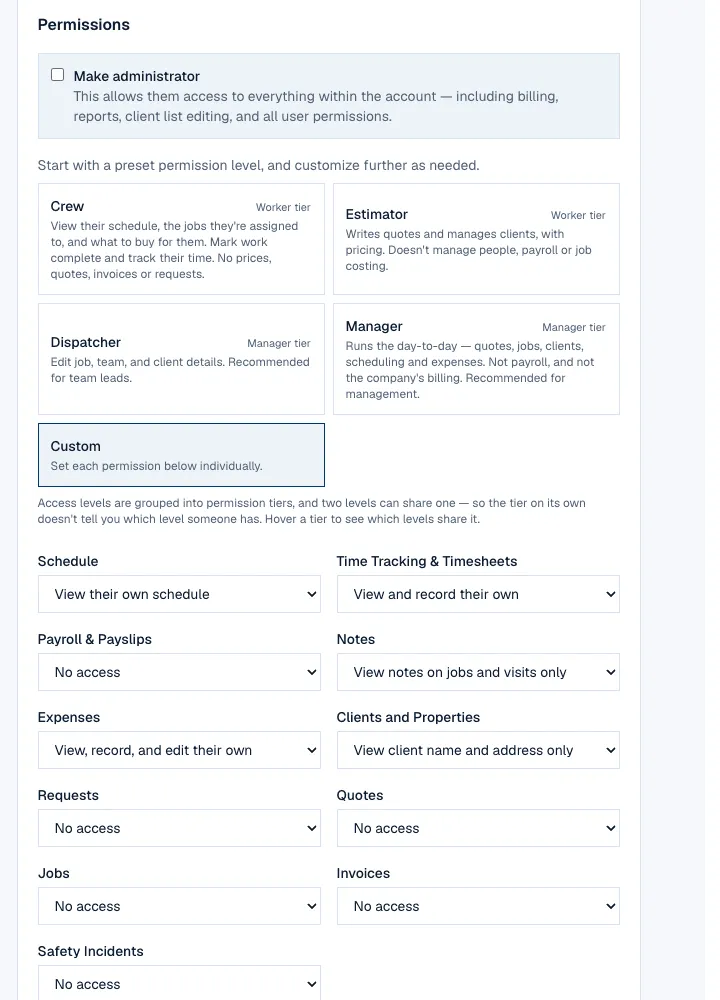
- Crew, Estimator, Dispatcher and Manager presets, then a dial per area per person
- Timesheets tied to real jobs, not guesswork
- Pay runs and payslips from approved hours
- Employee documents, onboarding and policies in one file
Your first 14 days are free, and nothing is charged until they are up.
Job titles are words; access is a dial
Start from a preset — Crew, Estimator, Dispatcher, Manager — then change any dial for that one person: what they see of the schedule, timesheets, payroll, clients, quotes, jobs, invoices. It holds on the server, not just on screen, so a hidden button is never the only thing in the way.
- Four presets and a Custom editor, one dial per area
- Show Pricing, Job Costing and Payments are separate switches
- Crew logins are free; seats are for the people who write quotes and invoices
Each person's own home screen, on their phone
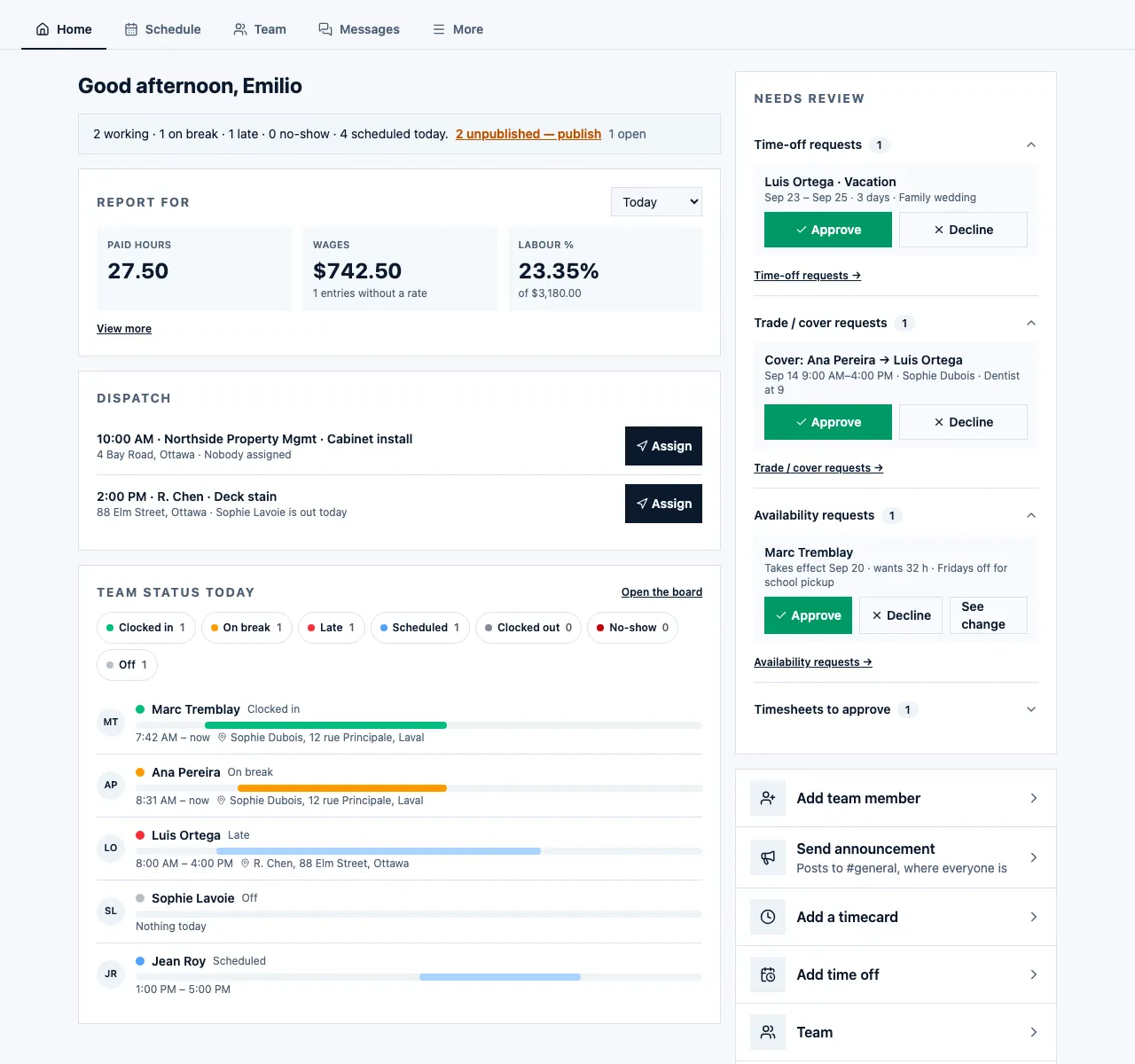
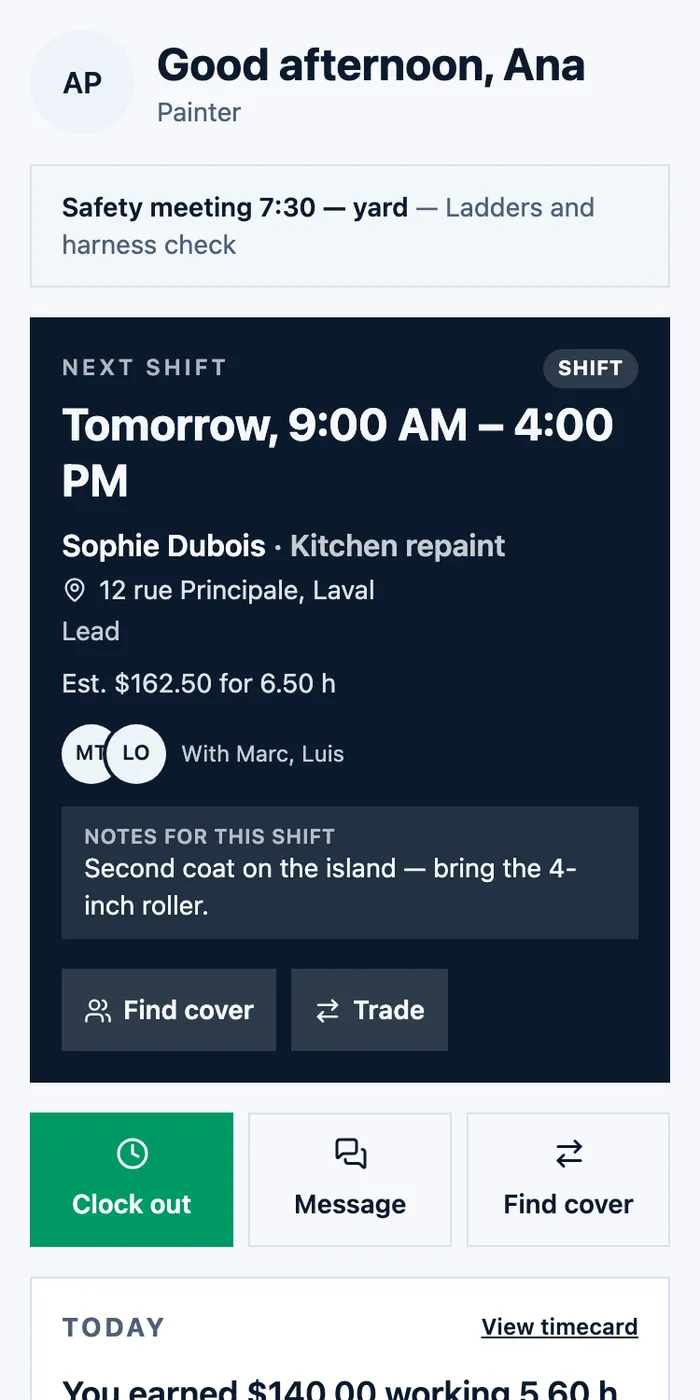
A crew member opens FieldQuo to their next shift, the note you left, what they earned today, and the buttons they actually use: clock in, find cover, trade, message. A manager opens it to the day's paid hours, the visits still to dispatch, who is on site, and the requests waiting for a decision.
- Next shift with the job, the address and who else is on it
- Find cover, trade a shift, ask for time off — from the same screen
- The manager's view: dispatch, team status, and what needs review
An HR file per person
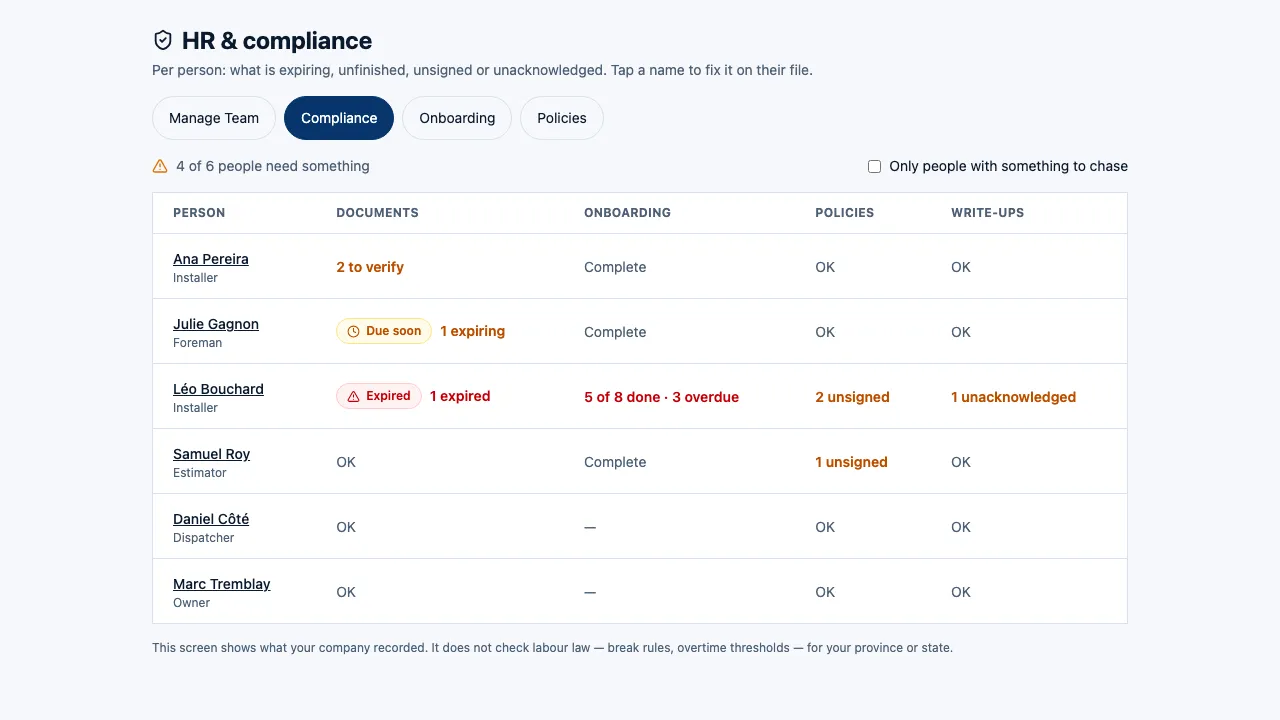
Licences, tickets and certifications with expiry reminders. A new-hire checklist with the TD1 or W-4 answered on a phone and kept with the file — FieldQuo files nothing with any tax authority and never asks for a social insurance number. Policies are versioned and acknowledged by typed name, and a compliance view shows who is missing what.
- Documents with an expiry date and a reminder before it
- Onboarding checklist: forms to fill, documents to upload, policies to sign
- The manager's log book for notes and write-ups, kept with the person
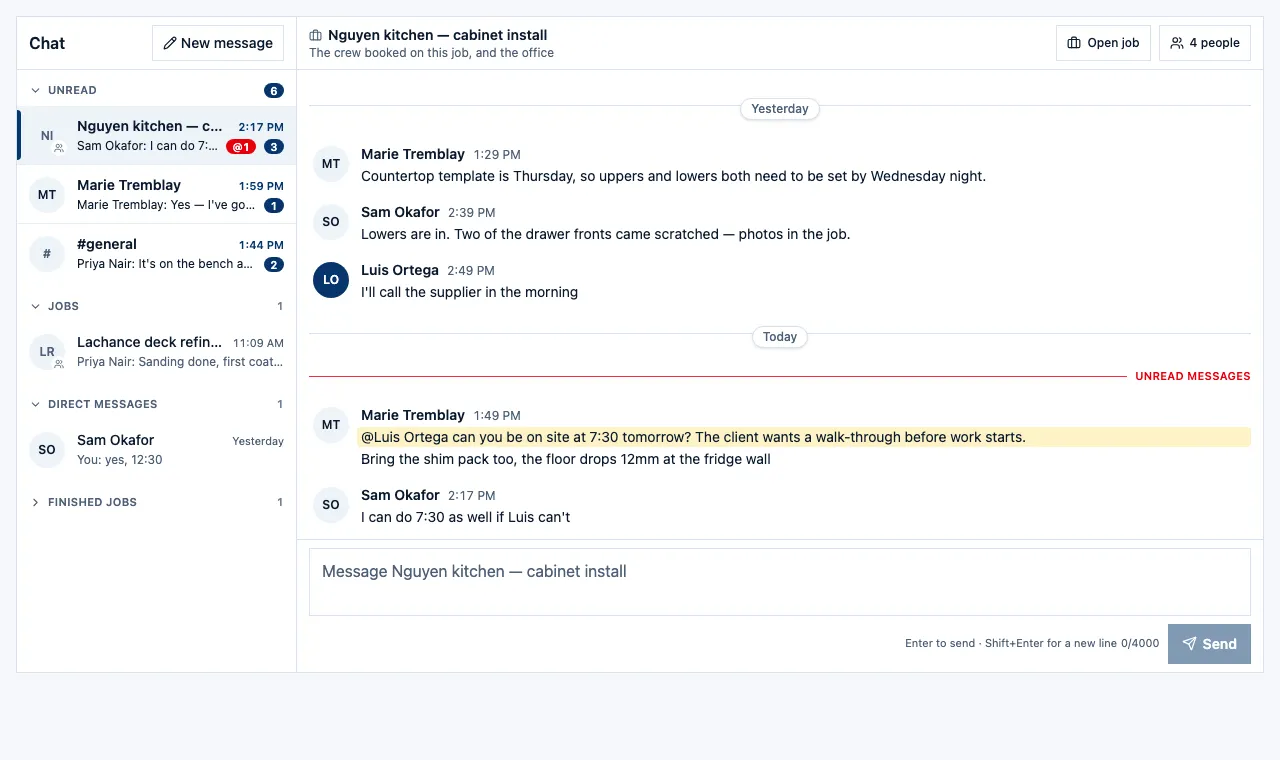
A chat room for every job, and one for the company
Every job has a room the crew on it and the office share, so the photo of the scratched drawer front is next to the job and not in someone's texts. Groups and direct messages sit beside it, with @mentions, on the phone and at the desk.
- A room per job, opened from the job and opened back to it
- Groups, direct messages and @mentions
- Unread counts per room, on the phone
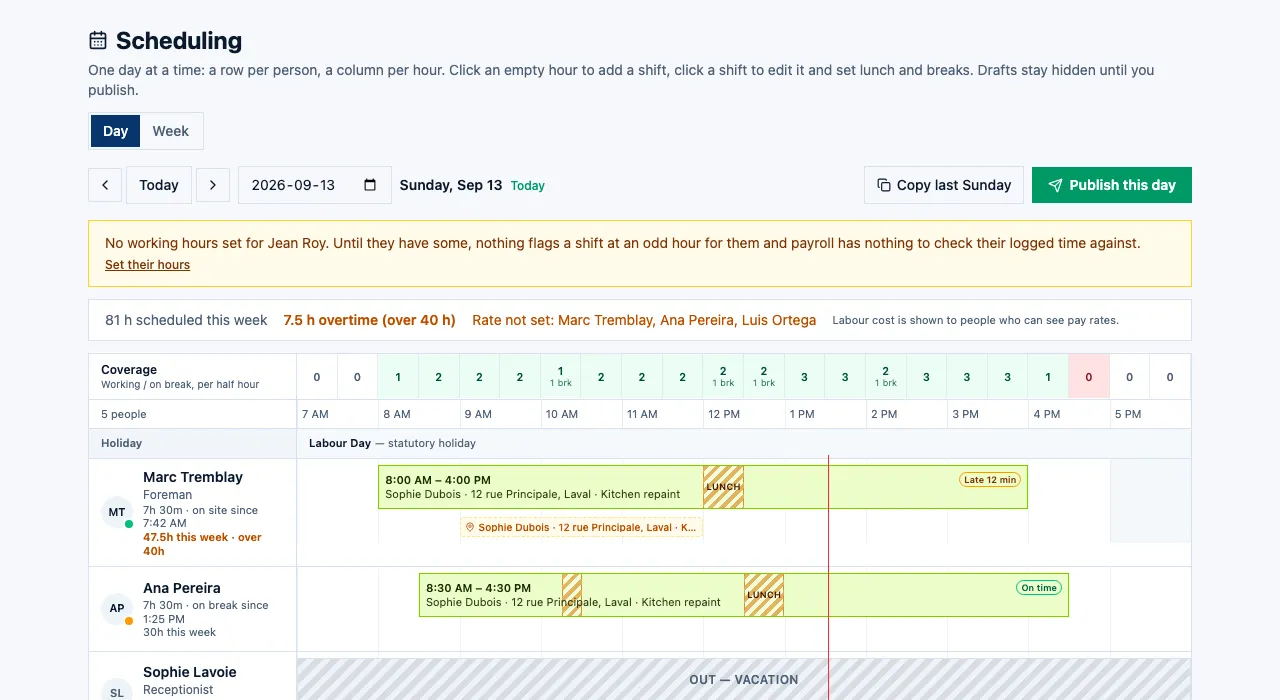
Timesheets from real punches, with the flags
Hours land tied to the job and the shift they were clocked against. The board shows who was late and by how much, who is over forty hours this week, and — for anyone with payroll access — what the day and the week cost in wages. You approve hours before they can become pay.
- Late and on-time from the punch against the shift, not from memory
- Overtime called out per person as the week builds
- The wage bill for the day and the week, hidden from anyone without payroll access
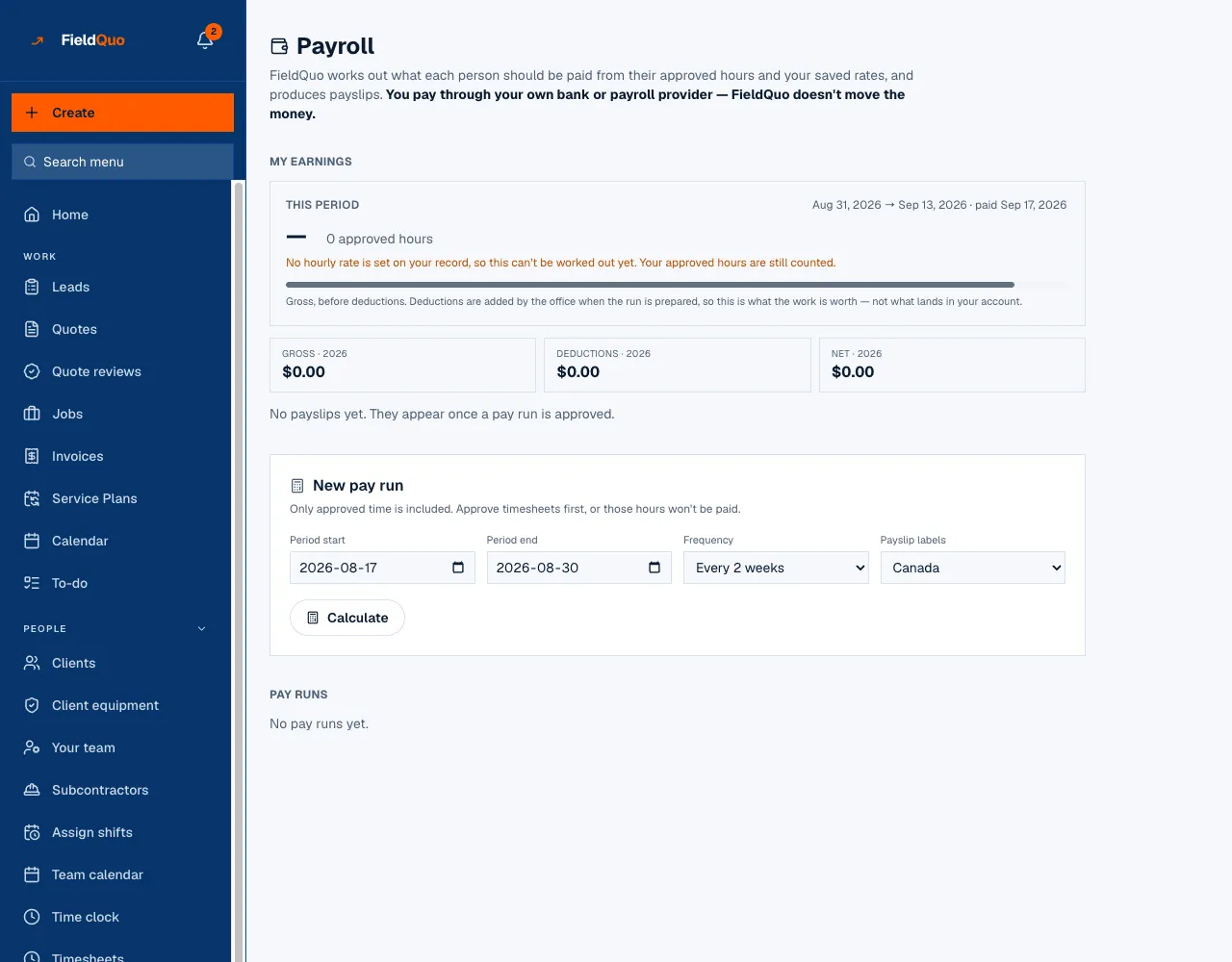
Pay runs and payslips from approved hours
Approved hours and each person's rate become a pay run for the period you choose, with a PDF payslip per person. FieldQuo works out gross pay; it does not pay employees or file payroll taxes. Someone on your roster marked as a contractor can be paid for their clocked hours by a real transfer to their bank.
- Pay periods on your cycle, a PDF payslip for each person
- Contractors on your roster paid for clocked hours at the rate you set
- Subcontracting companies kept on file with their insurance, clearance dates and what you have paid them this year
Everything under Team & Payroll
Every capability listed here is in the product today. Where one stops short, it says so.
Team roles and access
Decide, dial by dial, what each person can see and change — and it holds on the server, not just on screen.
Employee files and compliance
A file per person: tickets and licences with expiry reminders, a new-hire checklist, policies signed by name, and a compliance view of who is missing what.
Crew shifts
Build next week's rota, publish it, and everyone sees their own shifts.
Scheduling and dispatch
Put visits on the calendar, assign the person going, and see the whole crew's week at once.
Clock in and out
Crew clock on against the job they are on, from whatever phone they have.
Timesheets you approve
Hours land tied to real jobs; you approve them before they can turn into pay.
Time off and holidays
Requests go to the right manager, balances build up on their own, and the calendar knows.
Payroll
Approved hours become a pay run with a PDF payslip per person you can hand over.
Where this stops: FieldQuo works out gross pay and produces a payslip per person. It does not pay employees, file your payroll taxes or export the run — deductions are the ones you or your accountant supply.
Pay contractors from the app
Approved hours for someone on your roster marked as a contractor go out as a real transfer to their bank.
Where this stops: This pays a person on your own roster, for hours they clocked, at the rate you set. It cannot pay a fixed bid to another company.
Subcontractors
Keep the companies you hire on file, put one on a job at an agreed price, record what you pay them with a total for the year, and track their insurance and clearance dates.
Work areas
Break a big job into rooms or zones and hand each one to a different person.
Job checklists
A list of what has to be done on site, ticked off by the person doing it.
Crew inbox
Your crew text photos and updates to one number and they file themselves against the right job.
Who changed what
A running record of every send, edit and approval, with a name and a time against it.
Common questions
Ready to send your first quote?
First 14 days · Free