
Scheduling & Dispatch
Every person, every hour, on one board
Draft the crew's day and week, publish it once, and everyone sees their own shifts on their phone. Clients book visits from your real availability while you are on the job.
- A day board with a row per person and a column per hour
- Shifts stay hidden from the crew until you publish
- Public booking page, branded with your logo and colours
- Buffer times and per-person availability, not a generic calendar
Your first 14 days are free, and nothing is charged until they are up.
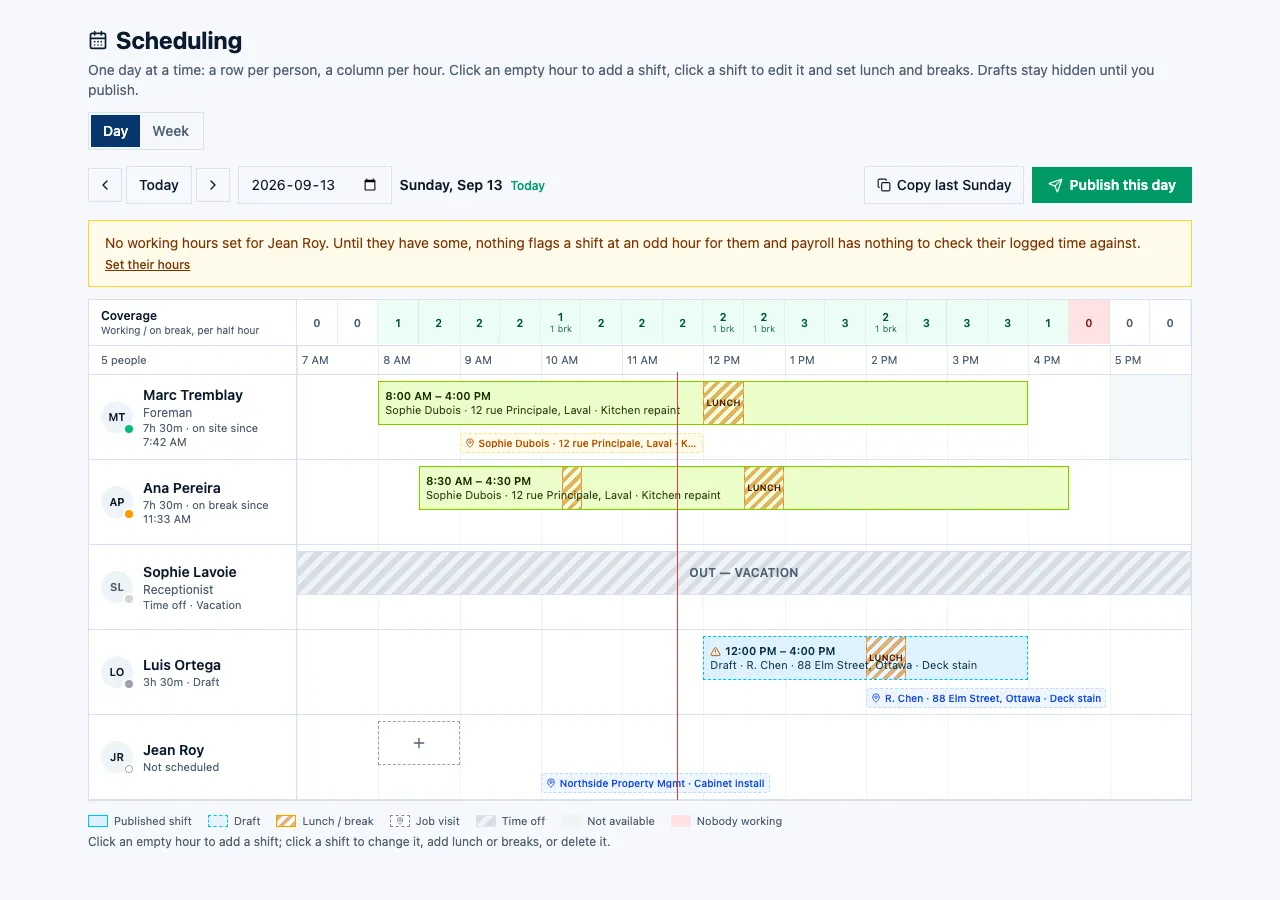
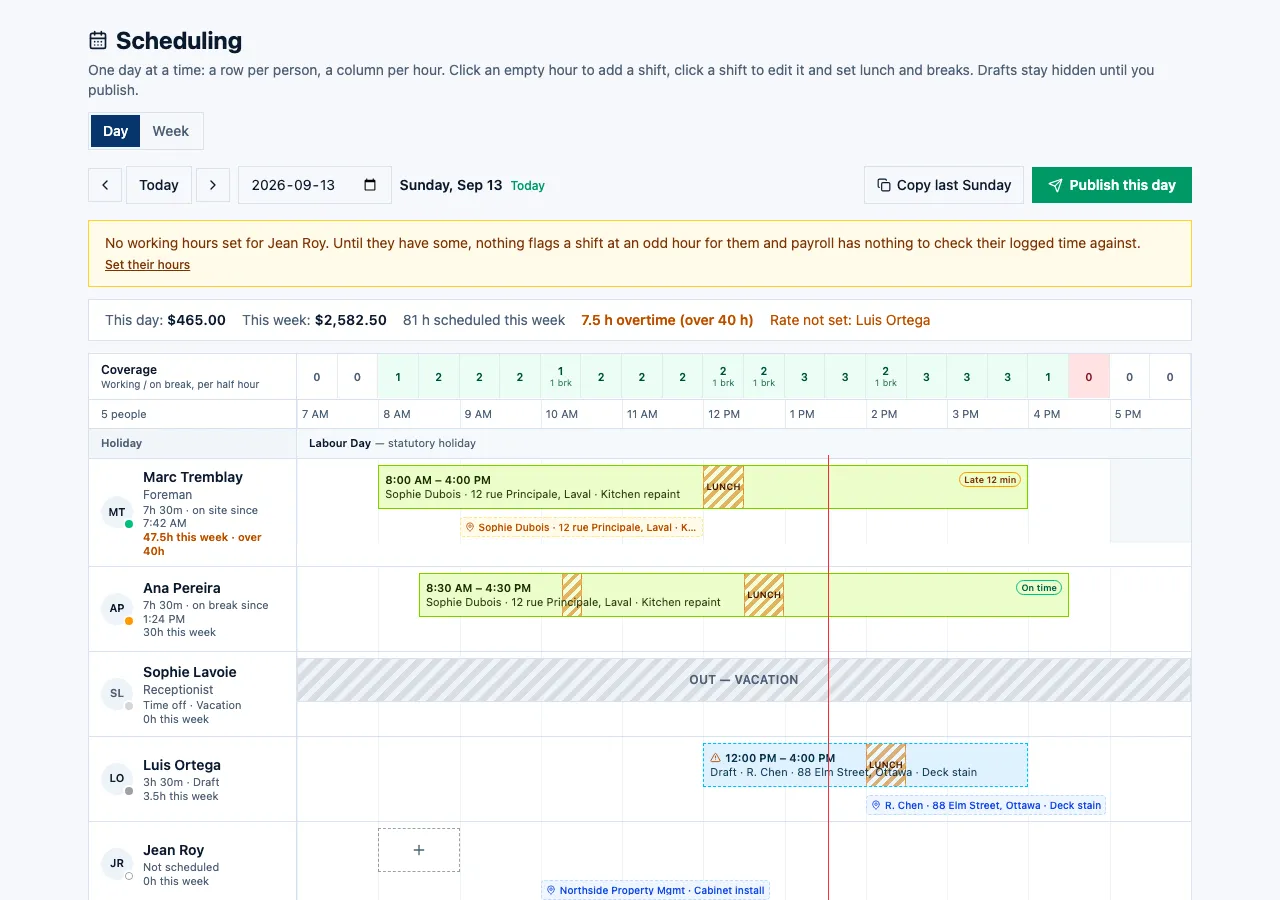
The day board: who is where, hour by hour
One row per person, a column per hour. A shift is a block with its lunch and breaks drawn in; the time clock turns the dots green and amber as people clock on; somebody on approved vacation shows as an OUT row so nobody schedules them by mistake.
- The coverage strip says how many people are left on site each hour — red where you are short inside opening hours
- A draft outside someone's stated availability is dashed and flagged, not silently allowed
- Late and on-time chips from the punch against the shift, on the block itself
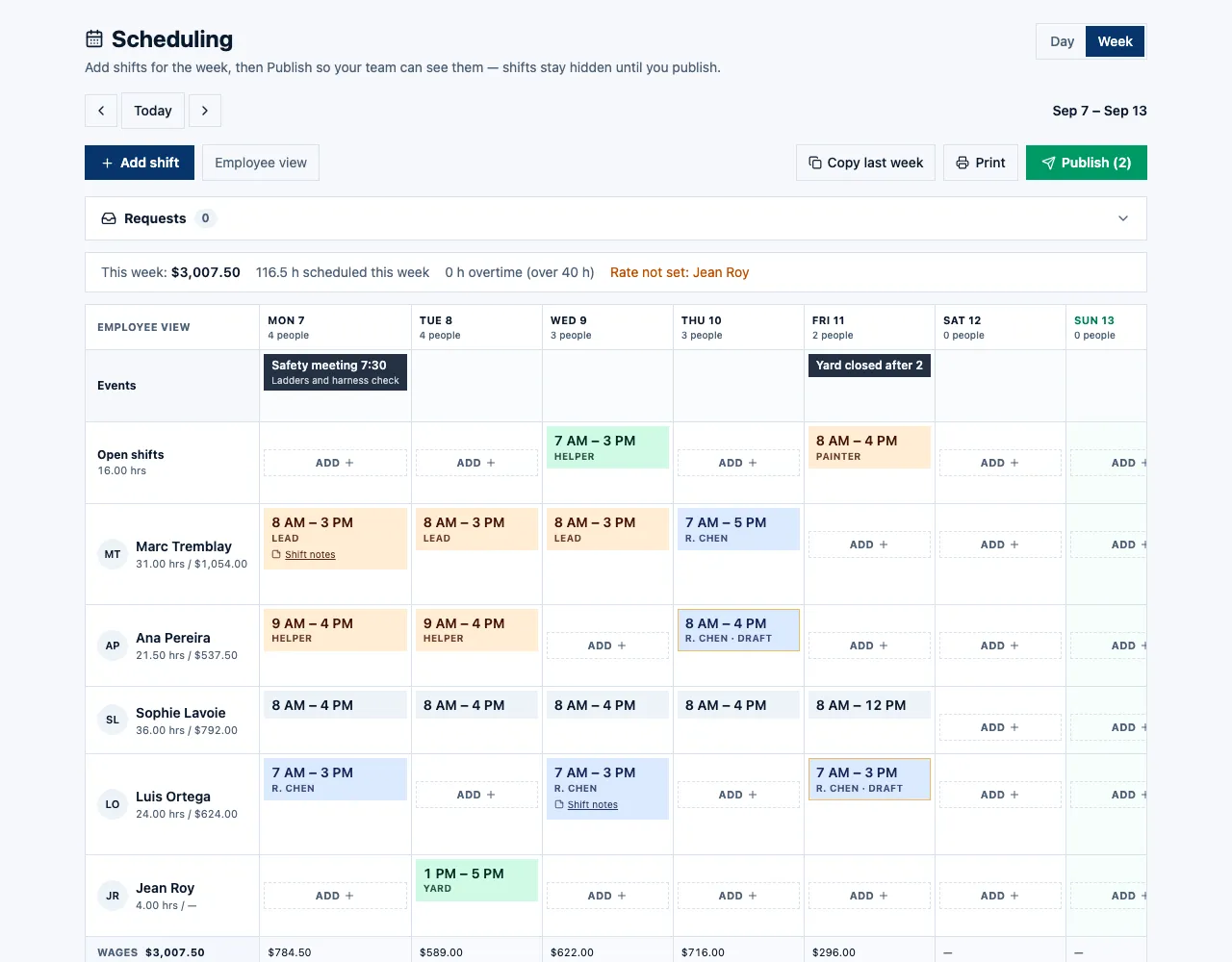
Plan the week, publish it once
The week grid is the same shifts by weekday. Apply a shift to several days at once, post an open shift anyone can claim, and read the hours and wages in the footer before you publish. Until you do, the crew sees nothing.
- Apply-to weekday toggles: set Monday once, tick the other four
- Open shifts sit in their own row until someone claims them
- Hours, overtime and — with payroll access — the wage bill, per day and per week
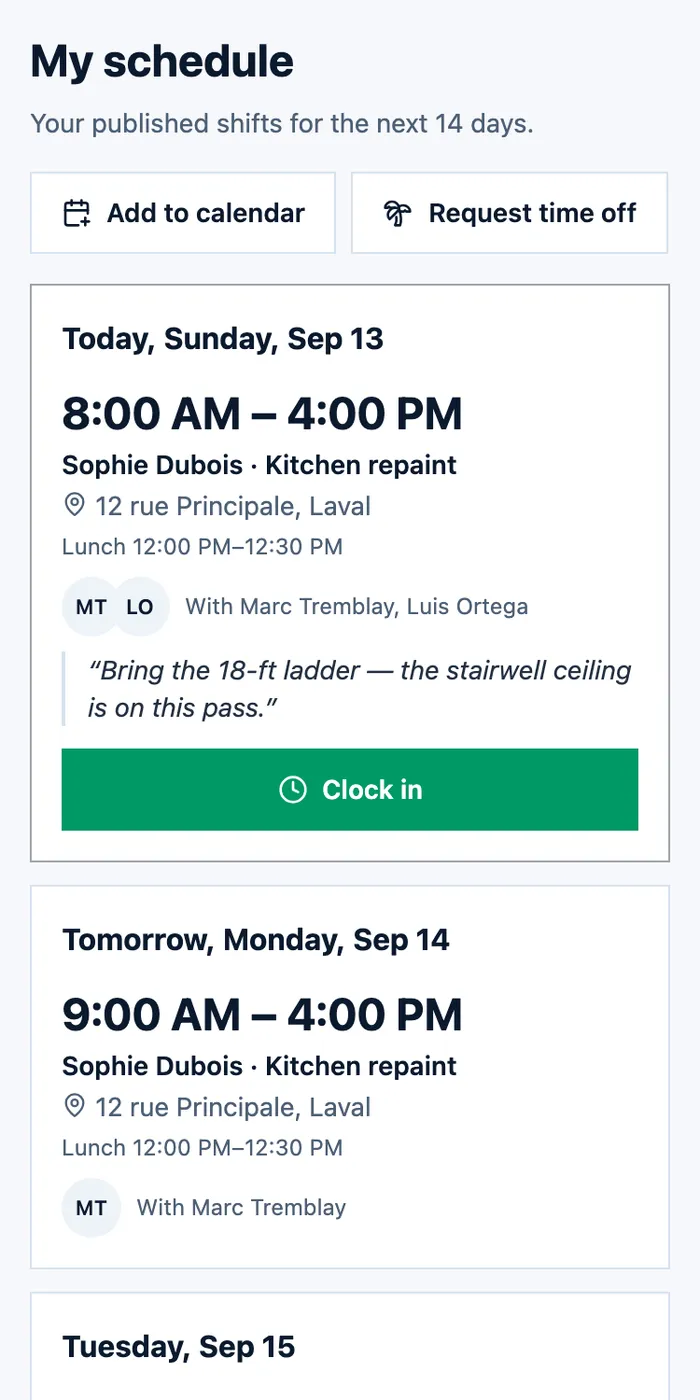
Published, and on every phone
When you publish, each person is told on their phone, and told again if their shift moves. Their schedule is a card per day: the job, the address, who else is on it, the note you left, and a Clock in button on today's card.
- Told when a shift is published, moved or removed — drafts never reach a phone
- Co-workers on the same shift, the site note, and the holiday line
- Clock in from the day's card; add the schedule to their phone's calendar
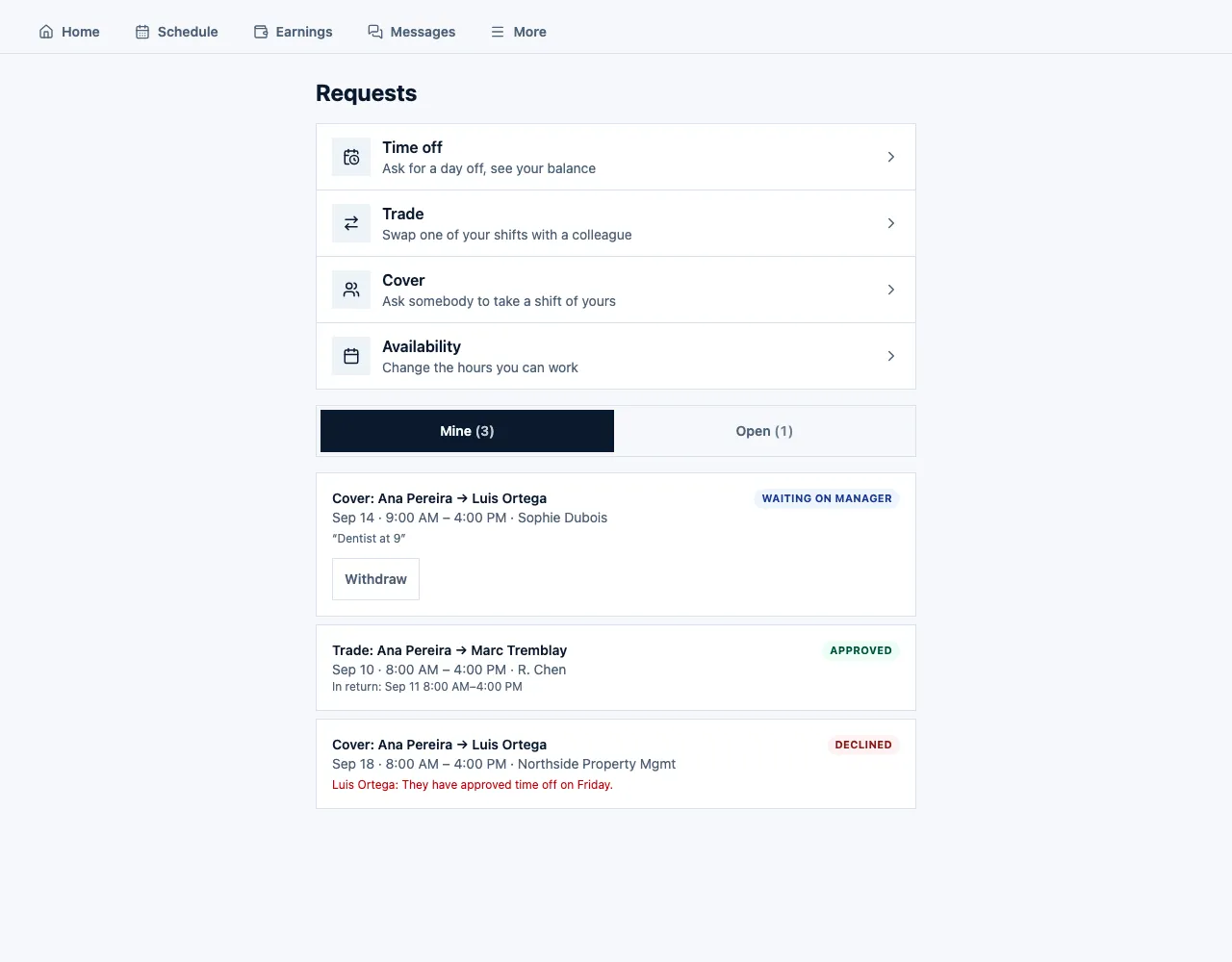
Trades, cover and time off, approved by the right manager
A crew member asks for cover from their phone; a colleague accepts first, then the manager approves, and everyone is told at each step. Time off runs on policies you set, with balances that build up on their own, blackout dates, and the statutory holidays of your province or state.
- Trade a shift, ask for cover, claim an open shift — all from the Requests hub
- Time off policies with balances, a cap on how many are off at once, and blackout dates
- Availability changes take effect on a date, so the board knows in advance
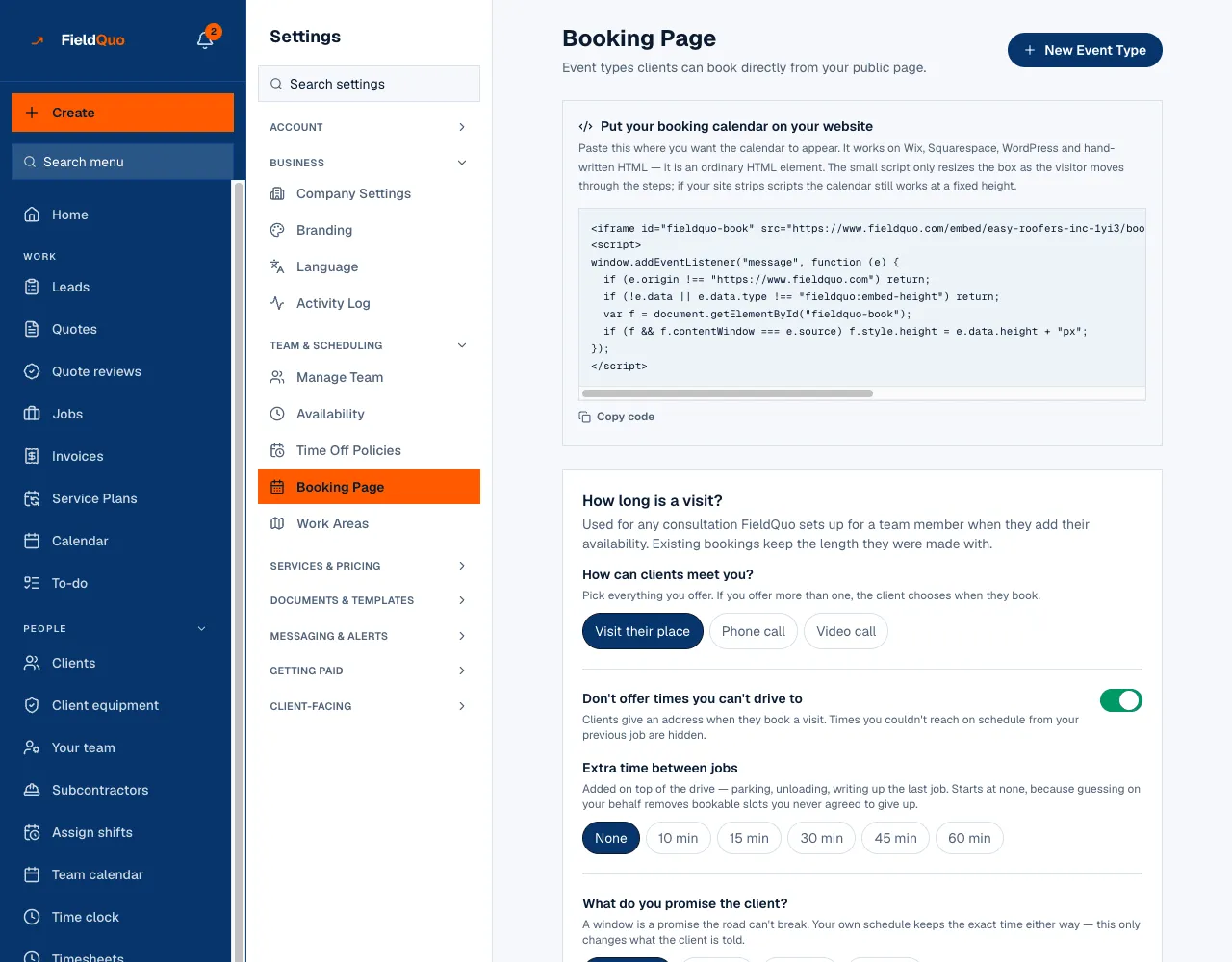
A booking page that fills the calendar while you work
Clients pick a slot from the real availability of the person who will go, with travel time between jobs and an arrival window you promise, on a page that carries your name. A text before the visit, and a link that lets them move it themselves.
- Travel buffer between jobs and an arrival window — exact, ±15, ±30 or ±60 minutes
- Take a visit fee at booking and credit it against the invoice
- Reminder by text before the visit; the client reschedules from the link, not by phoning you
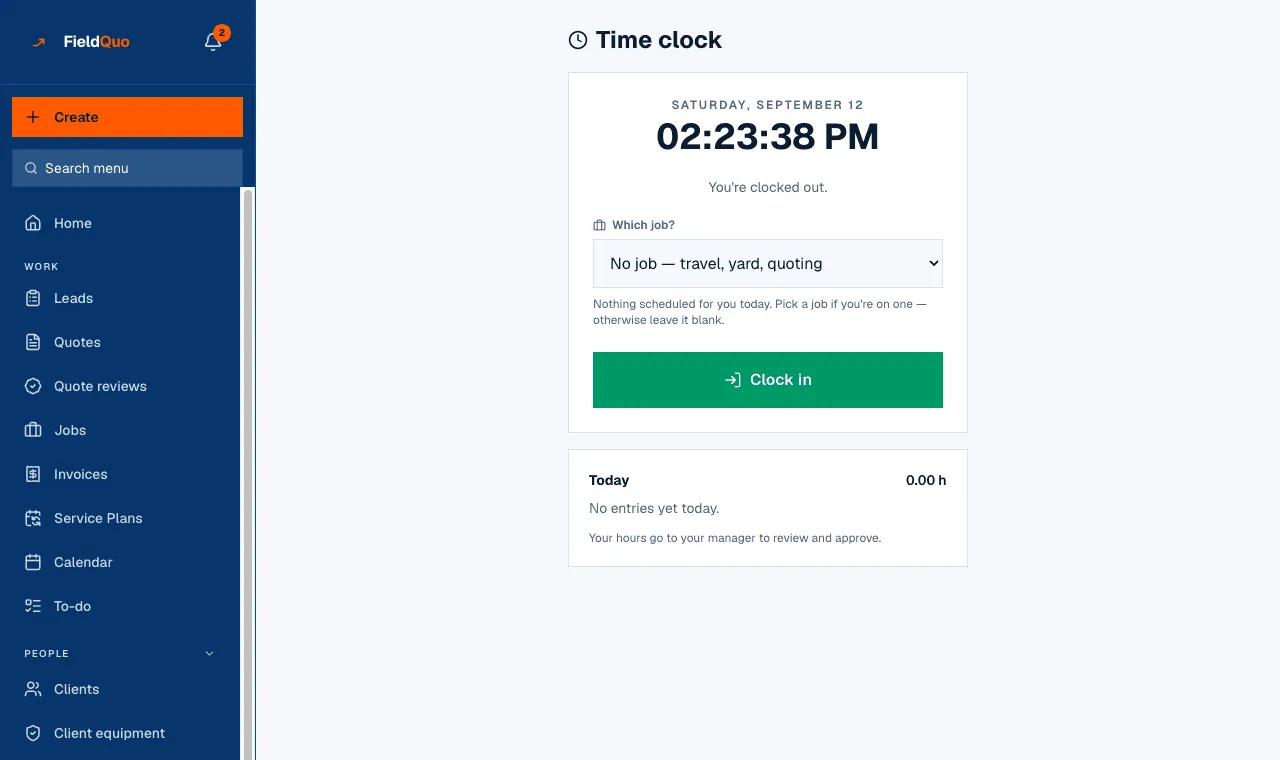
Clock in against the job, with breaks
The crew clock on from whatever phone they have, against the job they are on — or against no job, because travel and the yard are real hours. Lunch and breaks are punched too. At the tap, the phone is asked once for its position; the timesheet then shows how far from the site it was. Nothing tracks anyone between taps.
- Two visits today? The clock asks which; "no job" is always an honest option
- Paid and unpaid breaks, from the phone
- One position at the tap, never in between — refusing it changes nothing about the punch
Everything under Scheduling & Dispatch
Every capability listed here is in the product today. Where one stops short, it says so.
Scheduling and dispatch
Put visits on the calendar, assign the person going, and see the whole crew's week at once.
Crew shifts
Build next week's rota, publish it, and everyone sees their own shifts.
Jobs
An approved quote becomes a job with the scope, the address and the paperwork already on it.
Repeat jobs
Weekly, monthly or seasonal work that puts itself back on the calendar.
Online booking page
Clients pick a slot from your real availability, with travel time and arrival windows built in.
Take a deposit to hold the slot
Charge a visit fee at booking and credit it against the invoice when the work goes ahead.
Clients reschedule themselves
A link in the confirmation lets the client move the visit without ringing you.
Appointment reminders
The client gets a text before you arrive, so fewer doors are locked when you get there.
Where this stops: Reminders go by text message only. There is no email reminder, and the reminder wording is not editable yet — the on-my-way message is.
Confirmation calls
The assistant rings ahead to confirm tomorrow's appointments so you do not lose the morning to no-shows.
Clock in and out
Crew clock on against the job they are on, from whatever phone they have.
Timesheets you approve
Hours land tied to real jobs; you approve them before they can turn into pay.
Time off and holidays
Requests go to the right manager, balances build up on their own, and the calendar knows.
Work areas
Break a big job into rooms or zones and hand each one to a different person.
Job checklists
A list of what has to be done on site, ticked off by the person doing it.
To-do list
Everything that needs chasing, sorted by what will hurt most if you leave it.
Suggested next steps
The job proposes the tasks a job like this usually needs, so nothing gets forgotten.
Before and after photos
Photos filed against the job, ready to go into the quote, the invoice or your website.
Materials on the job
What went on site, what it cost, and what is still to buy.
Crew inbox
Your crew text photos and updates to one number and they file themselves against the right job.
Common questions
Ready to send your first quote?
First 14 days · Free