
Winning the workOnline booking page
Let them book the estimate without ringing you
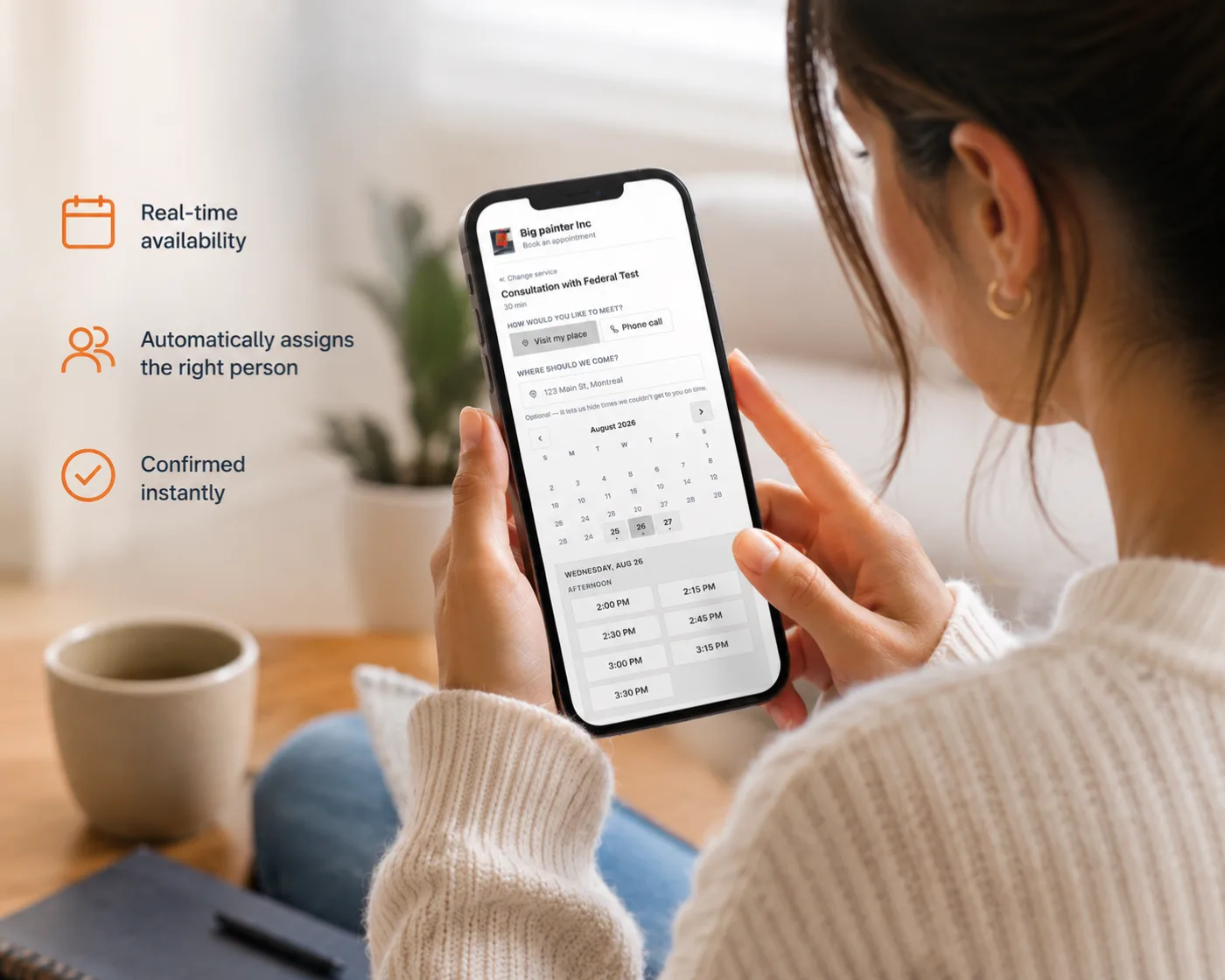
A booking page on your real availability, with travel time and arrival windows built in, and a deposit if you want one.
Your first 14 days are free, and nothing is charged until they are up.
What this takes off your week
How it works here
Availability that reflects the day you actually have
Slots come from your working hours, the visits already booked, and the travel between them. An arrival window is offered rather than a to-the-minute time nobody can keep.
A deposit that is not lost money
Charge a visit fee at the point of booking, and when the work goes ahead it is credited against the invoice rather than sitting somewhere as a separate refund.
It works on the site you already have
Use the booking page on its own address, or paste one line into the site you already run.
The specifics
Clients pick a slot from your real availability, with travel time and arrival windows built in.
- A quarter-hour grid, in the worker's own timezone
- Times come off each person's availability with the appointment's own length and the buffers either side, and anything already in the past is gone.
- Approved leave takes the whole day
- Including a half day. The request does not record which half, and inventing mornings would strand a homeowner in a driveway.
- Travel is checked in both directions
- Can they reach this slot from the job before it, and reach the next one after it. Where the distance cannot be worked out the time is still offered — an unknown never hides a slot.
- The address is looked up again on our side
- Coordinates that came from the browser are never trusted, because those coordinates decide which other times get offered.
- Arrival windows are off unless you set one
- An exact time by default, capped at two hours, and shown to the client only — your crew keeps the exact time. The wording is written per language, because Punjabi puts the connector after the two times rather than between them.
- A paid slot is held, not booked
- No appointment exists until the money lands. The hold lasts thirty minutes, and the payment can be confirmed three independent ways so a closed browser tab does not lose the booking.
What you get
Every plan includes all of it. Plans differ by how many people can work in the account, not by which features they are allowed to use.
Online booking page
Clients pick a slot from your real availability, with travel time and arrival windows built in.
Take a deposit to hold the slot
Charge a visit fee at booking and credit it against the invoice when the work goes ahead.
Clients reschedule themselves
A link in the confirmation lets the client move the visit without ringing you.
Appointment reminders
The client gets a text before you arrive, so fewer doors are locked when you get there.
Where this stops: Reminders go by text message only. There is no email reminder, and the reminder wording is not editable yet — the on-my-way message is.
One item above is only partly built, and says so. We would rather you read the limit here than find it in month two.
Try it on your own jobs
The first 14 days are free. Bring your own rates, your own logo and the client list you already have.
Contractors reading this also read