

Material Costs
Your real per-gallon prices, coverage rates, coat counts and consumables for the trades that price by recipe, and the threshold at which a finished job asks you to revise them.
Settings → Services & pricing → Material Costs holds the numbers behind the internal Cost & Margin estimate on a quote: what a gallon of primer costs you, how far it goes, how many coats you really do, what a roll of tape costs. They are what you pay, kept apart from what you charge, and a client never sees any of them.
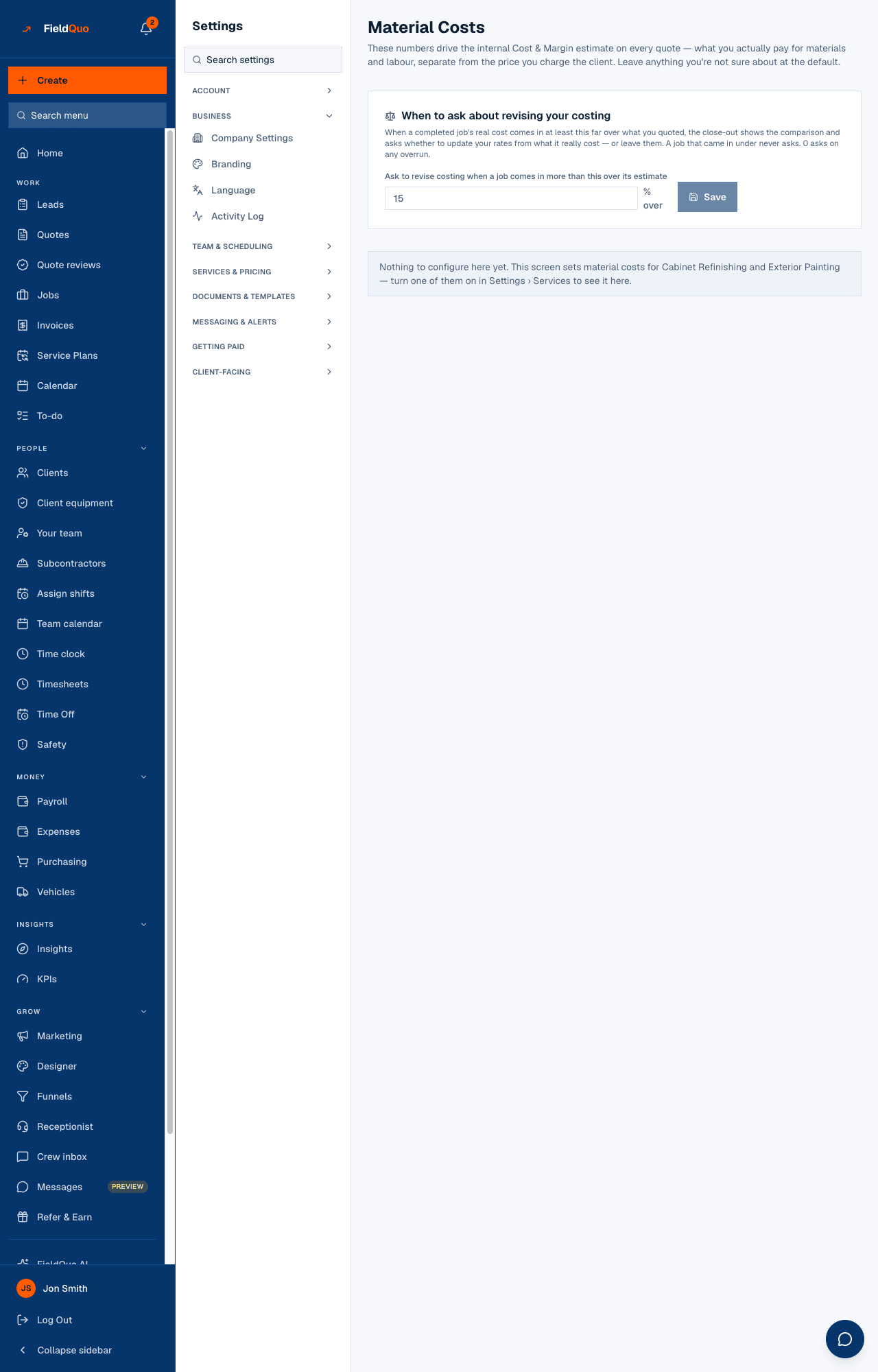
The row exists only for trades that price this way. Today that is Cabinet Refinishing and Exterior Painting: switch one of them on under Services & Pricing and the row appears; otherwise the page says Nothing to configure here yet.
What is on the screen
First a card, When to ask about revising your costing, with one number and a Save button. Then one recipe card per applicable trade, each with a Custom or Default badge, a Reset to defaults link, its fields, a Consumables block, and its own Save.
What the recipe fields change
Every quote counts its own doors and drawers, or its own square footage, and runs them through these rates: gallons needed = area × coats ÷ coverage, so raising primer coats from 2 to 3 costs 50% more material with no other change. There is no small / medium / large setting anywhere — the quantity is always the count typed on that quote.
| Trade | Fields |
|---|---|
| Cabinet Refinishing | Primer coats (standard species, and oak/ash/hickory/pine/thermofoil), top coats, primer and top-coat coverage (sqft/gal) and cost ($/gal), hardener as a % of top coat and its cost per quart, setup / teardown hours per job, hours per door, base surface-prep hours. |
| Exterior Painting | Wall production rate (sqft/hr), wall paint coverage, default coats, trim paint cost, trim production rate and coverage (linear ft), setup hours — and Wall paint cost by tier ($/gal) for Economy, Standard and Premium. |
Consumables — painter's tape, masking film, sandpaper — take a cost per roll (a whole roll, not per door) and how many doors and drawers one roll covers. Under each, the page works the example for a 24-door, 8-drawer kitchen from your own numbers, so you can sanity-check a figure before saving it.
Reset to defaults deletes every number you entered for that trade and puts back FieldQuo's starting figures. It asks first, because there is no undo and nothing else keeps a copy.
When a finished job asks you to revise
Ask to revise costing when a job comes in more than this over its estimate is a whole number from 0 to 100, 15 by default. When a completed job's real cost comes in at least that far over what you quoted, the close-out shows the comparison and asks whether to update your rates from what it really cost — or leave them. A job that came in under never asks, and each job asks once. Set it to 0 to be asked on any overrun.
The suggestions the close-out offers write back into these recipe cards and into the rate card on Services & Pricing — which is why the threshold lives on this screen. See Job costing.
Who can see it
This is the company's cost basis, so it needs both the user:manage permission and the jobCosting toggle: owners, admins and the Manager level. A Dispatcher holds the first but not the second and does not see the row. Everything here feeds only the internal estimate — see Cost and margin on a quote.
Frequently asked questions
Where do I set how much material a small, medium or large job uses?
Nowhere — there is no such setting. Every quote uses its own door count or square footage against these rates.
My trade is not listed. Where are its material costs?
Only Cabinet Refinishing and Exterior Painting have a recipe today. Other trades price from their rate card and the price book without a material estimate.
Does a client ever see these numbers?
No. They only shape the internal Cost & Margin panel; the quote shows your prices.
Was this helpful?