

Weekly digests
What the Weekly digests link on the Insights page opens — the Monthly Digest page — what each entry contains, and the plain fact that FieldQuo produces no weekly write-up today.
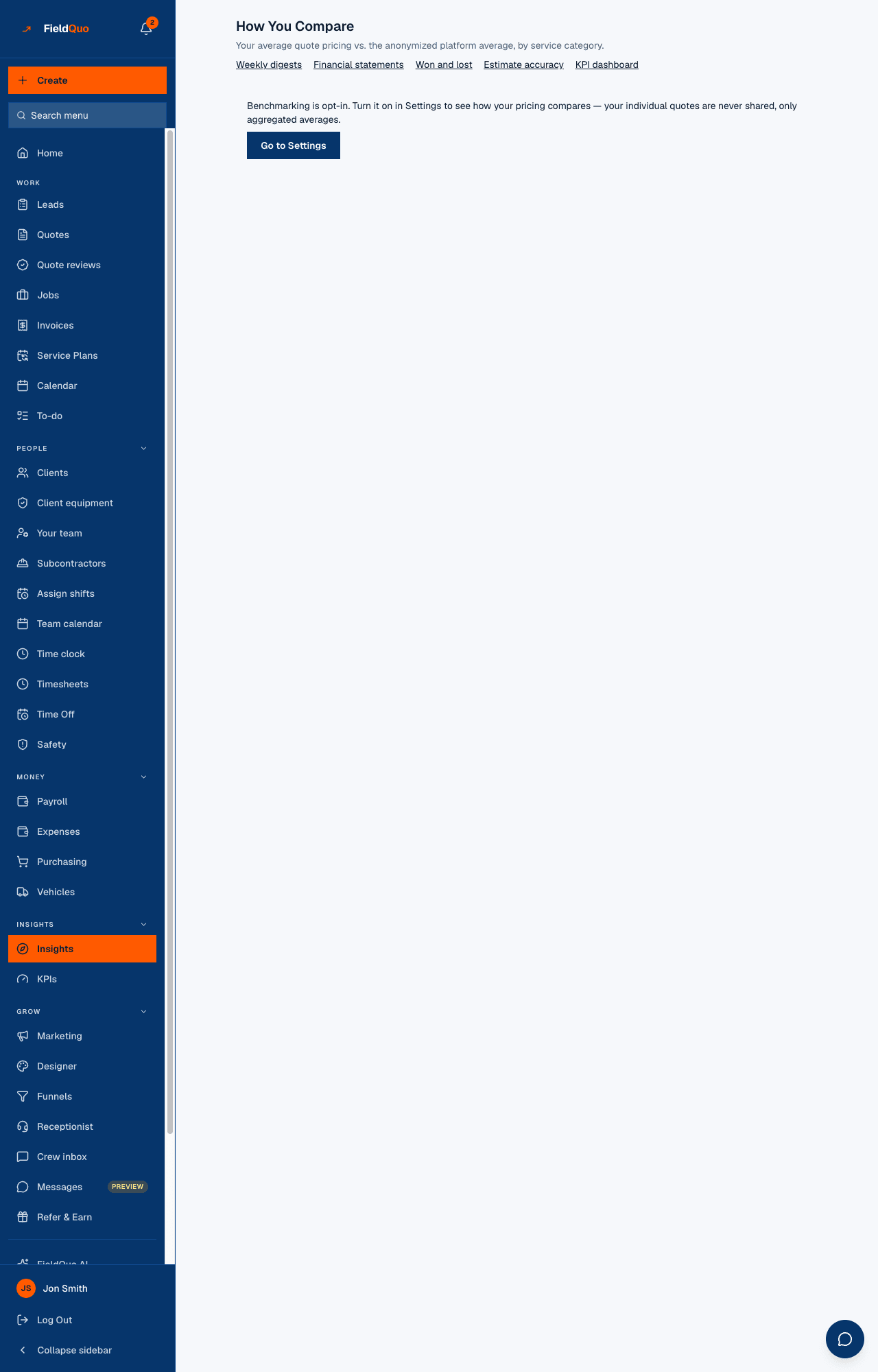
Under the title of Insights (the How You Compare page) sits a row of links to the rest of the reporting group. The first of them reads Weekly digests. It opens a page titled Monthly Digest — “Automated summaries of how your business performed each month.” The link's name is older than the page it opens.
So, to be plain: FieldQuo does not write a weekly digest. Nothing runs weekly, nothing is emailed weekly, and there is no setting that would change that. What the link gives you is the list of monthly write-ups, and this article is about that list. The email each one sends is covered in The monthly digest email.
Overview
Once a month, on the first, FieldQuo writes a short summary for every active company — three or four sentences from FieldQuo AI around a fixed set of numbers, plus any flags the code itself raised — files it under the month it covers, and emails it to the owner and administrators. The Monthly Digest page is the archive: every write-up the company has received, newest first, up to two years' worth.
The page shows more than the email does. The email carries the paragraph and the flags; the page adds the grid of numbers the paragraph was written from and, for months generated after the feature landed, the Calls behind this month's decisions section.
What is on the screen
- One row per month, headed by the month and year in your own language (“August 2026”), with “{n} flags this month” in amber when the month raised any. The newest is open; the others expand on a tap.
- The summary — the AI-written paragraph. If the company was over its FieldQuo AI allowance that month, the paragraph is replaced by the allowance message and an italic line: “This month's AI summary was skipped — your FieldQuo AI allowance is used up. The numbers above are unaffected.”
- The flags — amber boxes. Today there is one rule: a quote acceptance rate under 30% for the month, with the change from the month before when there was a full month before.
- The numbers — a small grid of the figures handed to the model: revenue, expenses, margin, quotes created, quotes accepted, conversion rate, marketing spend, the real lead count and, when there is something to divide by, the blended cost per lead.
- Calls behind this month's decisions — when the company uses the AI receptionist or outbound calling, what was said on the calls linked to the month's won and lost quotes, or a sentence saying why nothing was read (no linked calls, allowance used up, AI not available on this deployment).
Before the first full month there is nothing to show, and the page says so: “No digests yet — your first monthly summary will appear here after your first full month of activity.”
How to open it
- In the sidebar, under Insights, open Insights. The page is titled How You Compare.
- Under the subtitle, press Weekly digests. The Monthly Digest page opens with the latest month expanded.
- Tap any earlier month to expand it. There is nothing to generate by hand; the entries are written on the first of each month.
The write-up itself is in English today, whatever your company's language: the month heading and the page's own words are translated, the AI paragraph and the flag sentences are not.
What “weekly” means today
Nothing. The label on the Insights page says Weekly digests; the page it opens, its heading, its empty state and the schedule behind it all say monthly. There is no weekly email, no weekly cadence to switch on, and no digest for a partial month. If you want a number more often than monthly, the KPIs page and the dashboard are live for any period you pick — see The KPI dashboard and The dashboard in detail.
Who can see it
The Insights row in the sidebar is shown to anyone whose access includes prices (See prices on) — Estimator and above. The Monthly Digest page asks for nothing more than a signed-in member of the company. The email goes only to the owner and administrators, whoever can read the page.
Frequently asked questions
Can I switch the digest to weekly?
No. There is no weekly digest and no setting for one. The link's label is the only weekly thing about it.
Can I generate this month's digest early?
No. Digests are written on the first of the month for the month just ended. For a live view of the month in progress, use the KPI dashboard.
Why is a digest missing its paragraph?
The company was over its FieldQuo AI allowance when it was generated. The numbers and flags are still there; only the AI-written sentences were skipped, and the page says so under the entry.
Was this helpful?